 |
JobTabs Job Search & Resume Builder 2013 | Submit feedback on this topic |
Glossary Item Box
|
JobTabs Job Search & Resume Builder 2013 | Submit feedback on this topic |

↑ Create Resume
JobTabs Job Search & Resume allows you to create a new resume from scratch using the built-in word processor. Our word processor has no dependencies on any other word processor. This is to say, you can create MS Word documents without having MS Word on your machine. You do not have to have an HTML editor to create an online resume or a special text editor to create text resumes. JobTabs Job Search & Resume does it all.
The secret that enables JobTabs to morph so easily from one format to another is our internal file format used to store your resume. JobTabs stores your resume in this format at all times. When you are ready to email, print or upload your resume, JobTabs can easily save a copy of your resume to the format of your choosing (doc, docx, pdf, html, etc).
To create a new resume, click the 'Create Resume' button on the toolbar. The built-in word processor opens with the following default screen.
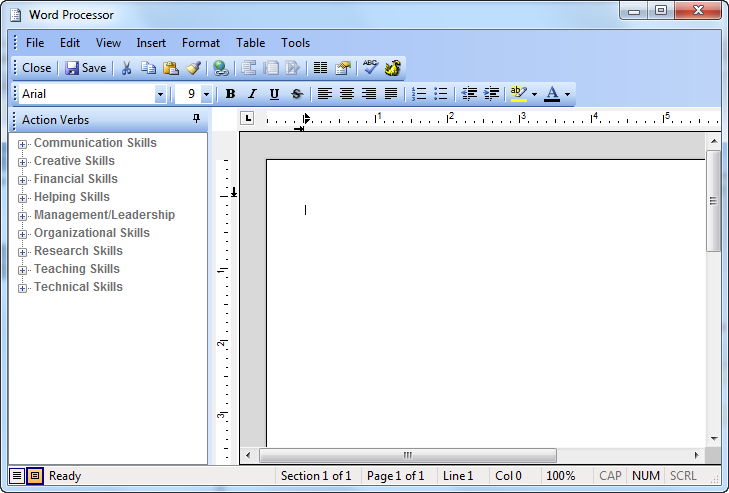
The details on using the JobTabs Word Processor are located in The JobTabs WordProcessor. You can locate this topic in our Table of Contents or you can click the link below in See Also Links.
| See Also |
Word Processor: JobTabs Word Processor
Action Verbs: Action Verbs
© 2005 - 2012 by JobTabs, LLC. All rights reserved.