 |
JobTabs Job Search & Resume Builder 2013 | Submit feedback on this topic |
Glossary Item Box
|
JobTabs Job Search & Resume Builder 2013 | Submit feedback on this topic |
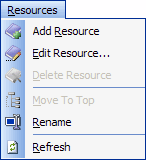
 on either the menu or the toolbar. A new node will be created at the bottom of the resource tree,

 button and your done.
| See Also |
Editor Toolbar | Hyperlinks | Attaching a File
© 2005 - 2012 by JobTabs, LLC. All rights reserved.